Managing 40 client websites separately might have worked a few years ago. In 2026, it usually creates more problems than it solves.
One plugin update causes conflicts across multiple environments. A client suddenly wants five regional microsites live in two weeks. Another needs separate access for local teams without risking the main setup. Meanwhile, your developers are bouncing between disconnected dashboards, trying to keep everything aligned.
This is exactly why WordPress Multisite still matters.
Agencies handling scale need structure, shared infrastructure, centralized control, faster rollouts, and cleaner maintenance. A well-planned WordPress Multisite network makes managing related websites far more practical than maintaining dozens of standalone installs.
The difficult part here is the long-term WordPress Multisite management that catches agencies off guard. Permissions, plugin conflicts, hosting limitations, performance bottlenecks, and governance across multiple WordPress sites all become bigger challenges over time.
Even with headless and composable platforms gaining attention, WP Multisite still remains a smart option for agencies managing growing digital ecosystems. Let’s learn more.
What WordPress Multisite Actually Means in 2026
Before planning a WordPress Multisite setup, agencies need to understand what the system actually does today and where it still fits.
A WordPress Multisite network runs multiple websites from one WordPress installation. The sites share the same core files and database structure, but each site can still have its own content, users, themes, and settings.
Most WordPress Multisites today are structured in one of three ways:
- Subdirectories like site.com/store
- Subdomains like store.site.com
- Separate branded domains using WordPress Multisite domain mapping
For agencies, domain mapping is usually the most practical option because clients want separate branded domains without separate installs. However, user roles matter too. Here’s why.
- Network admins control plugins, themes, updates, and global settings
- Site admins only manage their assigned websites
Modern WordPress Multisite hosting has improved a lot compared to earlier setups. Containerized hosting, CDN support, API integrations, and better caching tools make WP Multisite far easier to maintain at scale.
But Multisite WordPress is not the right fit for every project. It works well for franchise brands, education networks, multilingual sites, publisher groups, and businesses managing related websites. But if every client site needs different plugins, custom infrastructure, or separate security policies, managing multiple standalone WordPress sites is often the better choice.
Agency Use Cases: Where Multisite Becomes a Strategic Advantage
Agencies typically use WordPress Multisite because it creates operational control at scale. But structure matters greatly.
Multi-Client vs Multi-Brand Networks
Most agencies avoid placing unrelated clients inside the same WordPress Multisite network. One security issue, plugin conflict, or performance spike can affect the entire environment.
A better approach is grouping related brands under one parent company.
Examples include:
- Franchise businesses with regional branches
- Enterprise groups with multiple sub-brands
- Media companies running separate publications
- Universities managing department websites
This keeps WordPress Multisite management more predictable.
Scaling Franchise and Location-Based Websites
This is where WP Multisite works especially well. Agencies can:
- Create pre-built site templates
- Launch new franchise locations faster
- Standardize branding and plugin stacks
- Give local teams limited editing access
The main brand keeps control while regional teams manage local content.
Managing International and Multilingual Properties
Many agencies use WordPress Multisites for global websites.
It helps central teams manage:
- Shared design systems
- SEO structure
- Global plugin updates
- Compliance requirements
Regional teams can still localize content, campaigns, and language-specific pages without affecting the full network.
Product Ecosystems and SaaS Marketing Sites
Some SaaS companies manage dozens of microsites across products, campaigns, integrations, and verticals. Instead of maintaining disconnected installs, agencies can use Multisite website development to manage everything from one system while keeping branding and workflows consistent.
Next, let’s consider what goes into WordPress Multisite management and how agencies can get this right.
Planning a Multisite Network: 4 Decisions You Cannot Undo Easily
Most WordPress Multisite management problems start during planning instead of after launch. Agencies often rush setup decisions, then spend months working around them. Let’s find out how to get this right.
1. Domain Structure and URL Strategy
Your URL structure affects SEO, analytics, hosting, and future scalability.
Common setups include:
- Subdirectories for tightly connected brand ecosystems
- Subdomains for regional or department-based separation
- Mapped domains for client-facing branded websites
WordPress Multisite domain mapping is now common for agencies managing franchise or multi-brand environments. But changing structures later is painful. Redirect chains, tracking issues, and SEO disruptions can tally up fast.
2. Hosting and Infrastructure Planning
Your hosting setup determines how stable the network stays under load.
Agencies usually choose between:
- Managed WordPress Multisite hosting
- Cloud infrastructure on AWS or GCP
Large WordPress Multisites need clear resource allocation plans. One traffic spike should not slow down the entire network. CDN configuration matters too, especially for media-heavy or international properties.
3. User Roles, Permissions, and Access Control
Poor permission management creates security risks.
Agencies should define:
- Network-level admin access
- Site-level client permissions
- Internal developer and content roles
Too many admin accounts usually lead to accidental changes and inconsistent workflows.
4. Plugin and Theme Strategy
This is where many Multisite WordPress setups become difficult to maintain.
Agencies need to decide:
- Which plugins are network-activated
- Which sites can use custom plugins
- How much design flexibility do clients actually need
Too much standardization limits customization. Too much flexibility defeats the purpose of WordPress Multisite management.
4 Broad Areas for Every WordPress Multisite Setup

A proper WordPress Multisite setup is less about clicking buttons and more about building repeatable systems agencies can maintain long term.
1. Environment Preparation
Most agencies start with a staging-first workflow.
This usually includes:
- Separate development and staging environments
- Version control using Git
- Deployment pipelines for safer updates
- Backup automation before major changes
If not done thoughtfully, managing multiple WordPress sites without deployment processes can become risky.
2. Network Configuration
The technical setup usually includes:
- Enabling WordPress enable Multisite
- Configuring domain mapping
- Setting SSL certificates
- Adding firewall and security layers
Many agencies also isolate database-heavy sites early to avoid future performance issues.
3. Base Theme and Design System Setup
Modern WordPress Multisite development relies heavily on reusable systems.
Agencies often build:
- Shared component libraries
- Reusable page sections
- Global style systems
- Centralized theme frameworks
This keeps new site launches faster and more consistent.
4. Core Plugin Stack
Every WordPress Multisite manager eventually standardizes plugins.
Core stacks usually include:
- SEO tools
- Caching systems
- Backup platforms
- Security monitoring
- Form builders
- Analytics integrations
The goal is simple. Choose plugins that scale well across the entire WordPress Multisite network without creating maintenance problems later.
How Governance and Control Help in Multisite Management
Good WordPress Multisite management depends on governance. Without clear rules, even well-built networks become difficult to maintain after a few months.
1. Consistency through Standardization Across Sites
Agencies need consistency across the network without making every site look identical.
This usually means creating:
- Shared design systems
- Reusable blocks and templates
- Standard page structures
- Approved typography and branding rules
This keeps multiple WordPress sites easier to manage as the network grows.
2. More Secure Update Management
Updates become riskier inside a WordPress Multisite network because one conflict can affect several sites at once.
Most agencies follow staged workflows:
- Test updates in staging first
- Check plugin compatibility
- Push updates during low-traffic windows
- Monitor performance after deployment
Blind network-wide updates rarely end well.
3. Structured Content Governance Models
Not every client should have the same publishing permissions.
Agencies usually choose between:
- Centralized publishing controlled by one team
- Decentralized publishing with local editors
- Hybrid workflows with approval layers
The structure largely depends on the client’s operational model.
4. Clearer & Enforceable Documentation and SOPs
Every successful WordPress Multisite manager relies on documentation.
This includes:
- Internal deployment playbooks
- Plugin usage policies
- Content publishing workflows
- Client editing guidelines
Without SOPs, agencies end up solving the same problems over and over.
4 Performance Optimization Tips to Implement Across a Multisite Network
Performance issues inside WordPress Multisites spread fast. One poorly optimized site can affect the entire network if resources are shared badly.
-
Caching Strategies
Caching needs to be planned carefully. Agencies usually combine:
- Object caching for database queries
- Page caching for front-end performance
- CDN caching for global delivery
Some settings work network-wide. Others need site-level customization.
-
Database Optimization
A shared database creates efficiency, but it also creates maintenance challenges.
Over time, agencies need to:
- Remove unused tables
- Clean old revisions
- Audit bloated plugins
- Monitor database growth across sites
Large Multisite WordPress hosting environments can slow down quickly if database cleanup gets ignored.
-
CDN and Asset Delivery
Global networks need fast asset delivery. Most agencies use CDNs to handle:
- Image optimization
- Static asset delivery
- Regional performance improvements
- Traffic distribution
Media libraries also need structure. Shared uploads can become difficult to manage across growing WordPress multiple sites.
-
Handling Traffic Spikes Across Multiple Sites
Traffic spikes affect shared environments differently than standalone installs.
Agencies managing high-traffic WP Multisite setups often use:
- Load balancing
- Resource isolation
- Autoscaling infrastructure
- Traffic prioritization for critical sites
Without planning, one viral campaign can slow down the entire network.
4 Key Security Factors in Multisite: One Breach, Multiple Headaches
Security risks increase inside a WordPress Multisite network because sites share infrastructure. A single weak plugin or compromised account can affect far more than one website.
-
Network-Level Security Practices
Agencies usually secure WordPress Multisites with layered protection.
This includes:
- Web application firewalls
- Login rate limiting
- IP restrictions for admin areas
- Malware scanning
- Activity logging across the network
Security monitoring needs to happen at the network level, not just per site.
-
User Access Hardening
Access control becomes harder as more users enter the system.
Most agencies enforce:
- Role-based permissions
- Limited admin access
- Two-factor authentication
- Separate accounts for developers, editors, and clients
Too many super admin accounts create unnecessary risk in WordPress multi site management.
-
Plugin and Theme Risk Management
Third-party tools are one of the biggest security problems in WP Multisite environments.
Agencies should:
- Vet plugins before approval
- Remove unused themes and plugins
- Avoid abandoned tools
- Standardize approved plugin stacks
The fewer variables inside the network, the easier it becomes to secure.
-
Backup and Disaster Recovery
Backups need clear planning from day one.
Agencies often maintain:
- Network-wide backups
- Site-level restore points
- Offsite backup storage
- Recovery testing schedules
Restoring one site inside a large Multisite WordPress setup can get complicated if backup structures are poorly organized.
Scaling Operations: What to Automate?
Manual processes stop working once the network grows past a certain size. Agencies managing large WordPress Multisite management operations rely heavily on automation.
1. Automated Site Provisioning
Many agencies create pre-configured templates for faster launches.
This usually includes:
- Approved plugins
- Default page structures
- SEO settings
- User roles
- Design components
This helps teams launch new client sites faster without rebuilding the same setup repeatedly.
2. CI/CD for Multisite Environments
Modern WordPress Multisite development often includes Git-based deployment workflows.
Agencies typically automate:
- Code deployments
- Environment syncing
- Rollbacks
- Staging updates
- Testing pipelines
This reduces deployment mistakes across multiple WordPress sites.
3. Monitoring and Observability
Large networks need constant monitoring.
Most agencies track:
- Server performance
- Database usage
- PHP errors
- Uptime issues
- Security alerts
Monitoring tools help identify problems before they affect the full WordPress Multisite network.
4. Integrations and APIs
Many client ecosystems connect with external platforms.
Common integrations include:
- CRMs
- Marketing automation tools
- Analytics platforms
- Payment systems
- Custom APIs
Agencies can also use webhooks and automation tools to connect WordPress Multisites with internal workflows and third-party systems.
What Is the Role of SEO and Analytics in a Multisite Environment?
SEO becomes more complex once several sites share the same infrastructure. Poor setup decisions can create indexing and tracking issues across the network.
1. SEO Structure Across Multiple Sites
Agencies need clear SEO separation between sites.
That usually means:
- Avoiding duplicate page structures
- Setting proper canonical tags
- Managing localized content carefully
- Preventing overlap between regional sites
This matters even more in multilingual WordPress Multisite examples where similar content exists across several domains.
2. Tracking and Analytics Setup
Analytics setup depends on how connected the websites are.
Some agencies use:
- Centralized reporting dashboards
- Separate analytics properties per site
- Cross-domain tracking for shared funnels
Cross-domain attribution becomes harder once users move between mapped domains inside a WordPress Multisite network.
3. Managing Sitemaps and Indexing
Search engine visibility needs active management.
Agencies should control:
- XML sitemap generation
- Indexing rules
- Robots.txt settings
- Staging site visibility
Without proper controls, staging or duplicate content can accidentally get indexed across WordPress multiple sites.
4 Best Practices for WordPress Multisite Management (Agency Edition)
Good WordPress Multisite management is all about reducing operational problems before they happen. Let’s find out how this can be enabled.
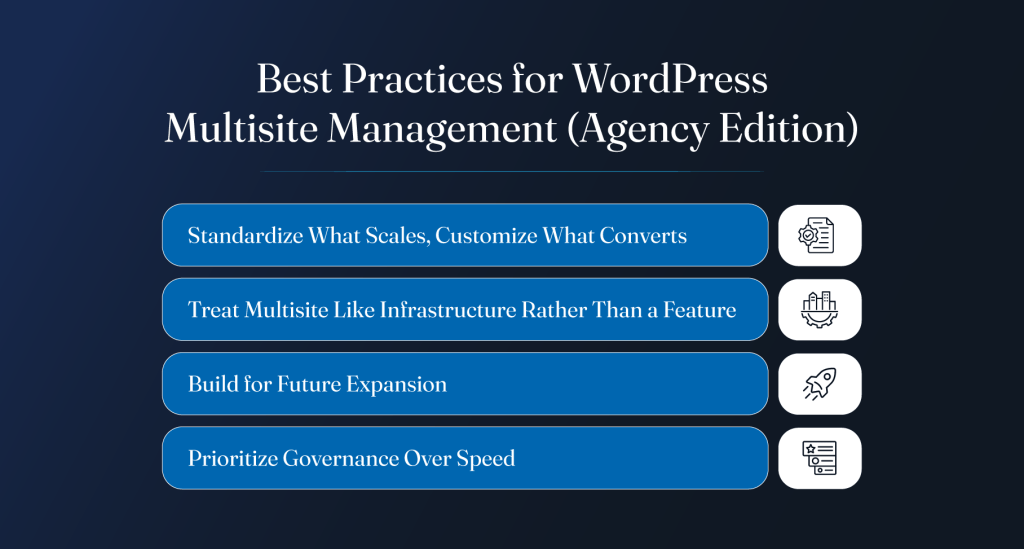
1. Standardize What Scales, Customize What Converts
Agencies need a balance between consistency and flexibility.
Standardize things like:
- Core plugins
- Design systems
- SEO structures
- Security policies
- Deployment workflows
But leave room for client-specific landing pages, localized campaigns, and custom features where they actually matter. Trying to standardize everything usually creates friction for clients and internal teams.
2. Treat Multisite Like Infrastructure Rather Than a Feature
A WordPress Multisite network is not just a WordPress setting. It becomes part of the agency’s operational infrastructure.
That means planning for:
- Long-term maintenance
- Security management
- Resource allocation
- Team workflows
- Future scaling
Short-term shortcuts usually create larger maintenance costs later.
3. Build for Future Expansion
Most WordPress Multisites grow faster than expected.
Agencies should assume the network will eventually include:
- More websites
- More users
- More integrations
- More traffic
- More localization requirements
Planning only for current needs creates avoidable rebuild work later.
4. Prioritize Governance Over Speed
Fast launches are useful. But poor governance creates bigger problems over time.
Strong structure around permissions, updates, publishing workflows, and documentation keeps WordPress Multisite management sustainable as the network grows.
Dos and Don’ts of Managing Multisite as an Agency
Managing multiple WordPress sites inside one environment requires discipline. Small mistakes become large operational issues very quickly.
| Dos (Agencies should) | Don’ts (Agencies should avoid:) |
| Build reusable systems instead of isolated setups | Mixing unrelated clients inside one WordPress Multisite network |
| Enforce strict user access policies | Installing unnecessary plugins across the network |
| Maintain reliable staging and backup workflows | Skipping documentation and SOPs |
| Monitor performance, uptime, and security continuously | Giving excessive admin access |
| Standardize plugin approval processes | Treating all sites equally during resource allocation |
| Document internal workflows clearly | Relying on undocumented processes and tribal knowledge |
Multisite vs Alternatives: What Agencies Should Consider in 2026
WordPress Multisite works well in the right environment. But agencies should not force every project into the same architecture.
Multisite vs Multiple Single Installs
Managing separate installs gives agencies more isolation and flexibility.
That setup works better when:
- Clients need different plugin stacks
- Security requirements vary
- Hosting environments differ
- Teams operate independently
But maintaining separate WordPress multiple sites also increases update management, deployment work, and maintenance overhead.
A WordPress Multisite network reduces duplication. Still, it also creates shared risk. One bad plugin update can affect several sites at once.
Multisite vs Headless WordPress
Headless setups make sense for highly customized platforms.
Agencies often choose headless architecture when projects need:
- Advanced front-end experiences
- Heavy API integrations
- App-like functionality
- Omnichannel content delivery
However, headless systems also increase development complexity and maintenance costs. For many content-driven websites, WP Multisite remains simpler to manage long term.
Multisite vs Website Builders and SaaS Platforms
Website builders offer convenience. Less infrastructure work. Faster setup.
But agencies lose control over:
- Hosting environments
- Custom development
- Performance optimization
- Platform-level flexibility
For growing client ecosystems, Multisite WordPress hosting usually gives agencies far more control than closed SaaS platforms.
How Agencies Like AgencyMinds Approach Multisite at Scale
Agencies managing large WordPress Multisites usually focus less on one-time setup and more on repeatable operational systems.
White-Label Delivery Models
Many agency partners need technical support without expanding internal teams.
That often includes:
- White-label development support
- Shared deployment workflows
- Ongoing maintenance assistance
- Scalable delivery systems behind the scenes
The goal is to help agencies scale without rebuilding operations internally for every project.
Balancing Standardization with Customization
Good WordPress Multisite development requires structure, but clients still expect flexibility.
Most scalable agency workflows standardize:
- Core infrastructure
- Security policies
- Deployment pipelines
- Plugin governance
At the same time, they leave room for custom layouts, campaigns, integrations, and client-specific functionality.
Long-Term Maintenance and Support Strategy
Large WordPress Multisite management environments need ongoing attention after launch.
That usually means:
- Continuous performance monitoring
- Plugin audits
- Security reviews
- Infrastructure optimization
- Documentation updates
The agencies that manage multiple WordPress sites well are usually the ones treating maintenance as part of the product, not an afterthought.
Conclusion
Managing a WordPress Multisite network at agency scale takes more than technical setup. It needs planning, governance, security, performance monitoring, and systems that can handle growth over time. When done right, WordPress Multisite management helps agencies manage complex client ecosystems without creating unnecessary operational overhead.
But not every setup needs WP Multisite. The key is choosing the right architecture for the client, the workflow, and the long-term maintenance model.
For agencies handling growing client portfolios, franchise ecosystems, multilingual websites, or large-scale Multisite website development projects, having the right technical partner also makes a difference.
AgencyMinds supports agencies with white-label WordPress development services built for scalable delivery, long-term maintainability, and real operational workflows.