

WordPress doesn’t care if you’re NASA, or a newsroom, or a nonprofit with a backlog problem. Why? Because it’s built to stay constant across use cases. What can differ is the quality of architecture built on top of it.
No wonder, some sites feel like they’ve been engineered, while others feel like they’ve been assembled under pressure and left to fend for themselves. Eventually, the difference can be seen in how content is structured once it starts piling up.
The reality is, many agencies tend to over-index on surface decisions early on: themes, hero sections, visual polish, and so on. Then, reality kicks in: hundreds of pages, shifting priorities, multiple contributors, and a CMS that can either hold or collapse under its own weight.
The WP-powered website examples listed below come from the official WordPress Showcase. We’ve included them not just for inspiration in the generic sense. They’re also useful because each one demonstrates how structure, content flow, and UX decisions behave when scale stops being theoretical.
10 Cool WordPress Example Sites That Stand Out
The websites mentioned below typify what WordPress looks like when it’s pushed well beyond the typical business website. They may have different audiences, goals, and content demands. Yet, all of them solve real-world problems that agencies deal with every day.
1. NASA

NASA’s website serves researchers, educators, students, journalists, and everyday visitors at the same time. That’s not an easy audience mix to accommodate.
What agencies can learn from it:
- Build content architecture using custom post types, not page hierarchies.
- Use hierarchical taxonomies to separate audiences instead of duplicating pages.
- Treat search as a primary navigation system, not a fallback feature.
- Create template-based landing pages using reusable block patterns.
- Lock editorial consistency using role-based publishing permissions.
2. TechCrunch

Publishing several stories a day creates challenges that most corporate websites never face. Content moves quickly, but reader attention moves even faster.
What agencies can learn from it:
- Use dynamic homepage queries (WP_Query or block-based queries) instead of static layouts.
- Structure categories as content filters, not just SEO buckets.
- Implement related-post logic via taxonomy and tags, not manual linking.
- Build reusable article templates for fast publishing workflows.
- Separate ad slots using controlled widget or block areas, not inline edits.
3. Source (Microsoft)
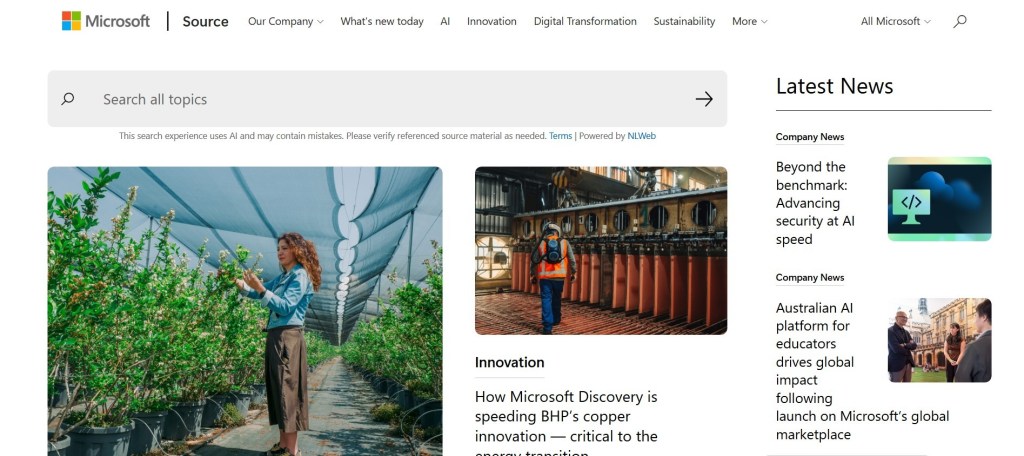
Enterprise websites often suffer from inconsistency. Different teams publish content and different stakeholders influence layouts. Eventually, the overall experience starts feeling fragmented.
What agencies can learn from it:
- Build a design system using Gutenberg block patterns or ACF blocks.
- Standardize layouts through strict page templates per content type.
- Use custom roles and permissions to control publishing workflows.
- Avoid freeform page building for enterprise-scale content.
- Maintain brand consistency via locked components, not editor discretion.
4. Rolling Stone

Many publishers struggle to balance editorial volume with strong visual identity. Rolling Stone manages both without sacrificing either.
What agencies can learn from it:
- Define fixed editorial templates for articles, reviews, and interviews.
- Use media libraries with strict naming and categorization rules.
- Build grid layouts using reusable block structures, not page builders.
- Control typography globally via theme settings, not per-page overrides.
- Separate editorial and promotional modules into distinct template zones.
5. Pew Research Center

Research organizations often overwhelm visitors with data. Pew takes a different approach by making information easier to consume without oversimplifying it.
What agencies can learn from it:
- Use custom post types for reports and datasets.
- Embed charts via reusable shortcode or block components.
- Structure content so each report follows a repeatable template schema.
- Keep data visualizations separate from the core content body.
- Optimize readability using structured heading hierarchy in templates.
6. TIME

Producing good content is only half the battle for modern publishers. Content discovery is one of the hardest problems to solve now.
What agencies can learn from it:
- Build content recommendation logic using taxonomy relationships.
- Use block-based modules for related stories sections site-wide.
- Structure homepage via query loops, not static page edits.
- Create reusable editorial components for consistency across stories.
- Separate trending logic using dynamic queries instead of manual curation.
7. The White House

Government websites operate under a different set of expectations: information must be accessible, accurate, and easy to locate.
What agencies can learn from it:
- Implement strict information architecture using nested custom post types.
- Use search-first navigation design with enhanced WordPress search or Elastic integration.
- Lock layouts using templates to avoid editorial deviation.
- Optimize accessibility via theme-level ARIA and semantic HTML enforcement.
- Centralize updates through controlled editorial roles.
8. The Obama Foundation

Many nonprofit websites focus heavily on messaging but leave visitors unsure about what to do next.
What agencies can learn from it:
- Build campaign-based custom post types for programs, initiatives, and events.
- Connect storytelling to action using template-level CTAs, not inline edits.
- Use reusable blocks for donation, signup, and engagement modules.
- Separate narrative content and conversion flows structurally in the CMS.
- Maintain consistency via locked layout components.
9. The Intercept

Trust is difficult to earn but surprisingly easy to lose. Design plays a bigger role in this process than many teams realize.
What agencies can learn from it:
- Enforce a single article template system across all content types.
- Use minimal block variation to maintain reading consistency.
- Control ad placement via designated template slots, not editor placement.
- Optimize typography globally via theme settings only.
- Avoid plugin-driven layout changes that break reading flow.
10. The Atavist Magazine

Long-form content remains one of the most demanding formats to design well. Readers need enough momentum to stay engaged without unnecessary distractions.
What agencies can learn from it:
- Build long-form templates with chapter-based block structures.
- Use media embeds as native block components, not shortcodes.
- Structure content using scroll-based sections as narrative units.
- Optimize reading flow with controlled spacing in templates.
- Avoid mixing layout systems inside a single long-form post type.
What Makes a Great WordPress Website?
The platform itself rarely determines whether a website succeeds. The decisions behind the build do. Let’s see what they are all about.
-
01
Strong Design and Branding
Design is not about making a website look impressive during a presentation. It needs to create recognition and consistency over time. The key characteristics include:
- A recognizable visual identity
- Consistent typography and spacing
- Cohesive use of imagery
- Reusable design components
- Clear alignment with brand positioning
-
02
Easy Navigation and User Experience
Users do not spend time learning how a website works. They either find what they need or they leave. Strong navigation usually includes:
- Logical menu structures
- Predictable user flows
- Clear page hierarchy
- Effective search functionality
- Minimal friction between pages
-
03
Fast Performance Across Devices
Performance problems affect everything from engagement to conversions. Fancy design decisions lose their value when pages load slowly. A few important considerations include:
- Optimized media assets
- Efficient code delivery
- Mobile-first performance testing
- Reliable hosting infrastructure
- Core Web Vitals optimization
-
04
A Structure That Can Scale
Many websites work well at launch but become difficult to manage as content grows. Scalable WordPress websites typically include:
- Flexible content models
- Reusable templates
- Strong taxonomy systems
- Documented governance processes
- Future-ready architecture
WordPress Design Trends These Websites Get Right
Trends come and go. Certain principles continue to work because they improve usability rather than simply changing aesthetics.
1) Clean Layouts
The strongest websites remove unnecessary distractions. Some common patterns include:
- Focused page structures
- Controlled use of visual elements
- Clear content groupings
- Intentional spacing
- Reduced interface clutter
2) Mobile-Friendly Design
Mobile traffic continues to dominate across most industries. Successful websites prioritize:
- Responsive layouts
- Touch-friendly interactions
- Readable typography
- Streamlined navigation
- Performance on slower networks
3) Strong Visual Hierarchy
Visitors scan before they read and sensible hierarchy supports this behavior. The key elements here include:
- Clear heading structures
- Strategic use of contrast
- Distinct content sections
- Consistent spacing
- Logical reading paths
4) Consistent Branding
Consistency creates familiarity and familiarity builds trust. Hence, effective branding will always include:
- Repeated visual patterns
- Consistent messaging
- Standardized components
- Recognizable imagery
- Cohesive user experiences
What Agencies Can Learn from These WordPress Websites
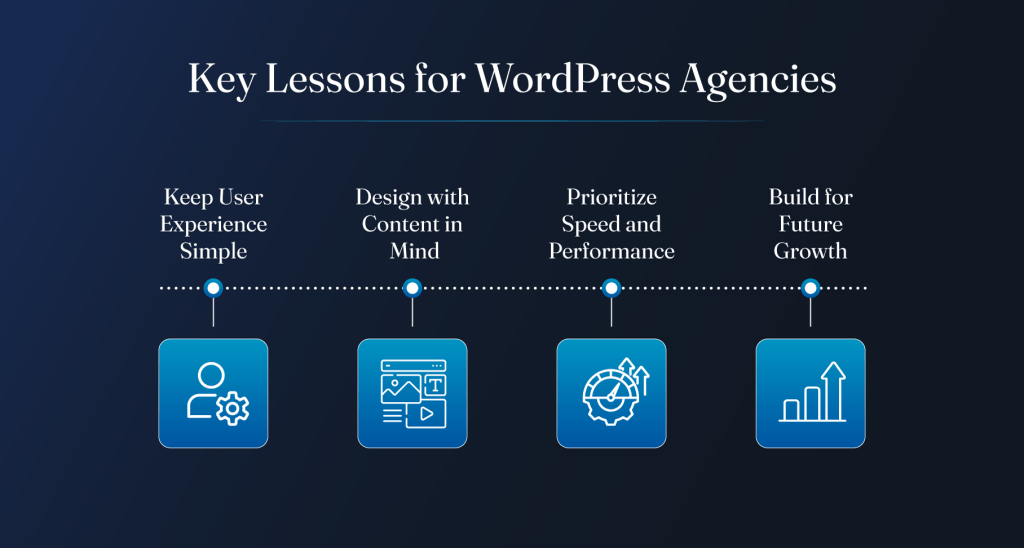
The specifics vary from site to site, but the broader lessons remain surprisingly consistent.
1) Keep User Experience Simple
Complexity usually reflects internal decisions rather than user needs. It’s a good idea to focus on:
- Clear navigation
- Straightforward user journeys
- Reduced friction
- Logical page structures
- Faster task completion
2) Design with Content in Mind
Design should support content, not compete with it. This means:
- Prioritizing readability
- Building flexible layouts
- Accommodating different content types
- Planning for content growth
- Supporting editorial workflows
3) Prioritize Speed and Performance
Users notice performance immediately, even if they cannot explain why. Agencies should, therefore, focus on:
- Lightweight front-end builds
- Performance monitoring
- Asset optimization
- Efficient hosting environments
- Ongoing technical maintenance
4) Build for Future Growth
Most websites are redesigned because they stop scaling effectively, not because they stop looking good.
Future-ready WordPress projects typically include:
- Flexible architecture
- Scalable content models
- Reusable components
- Governance frameworks
- Room for evolving business requirements
Conclusion
Most WordPress sites don’t fail because of design. They fail because structure doesn’t keep up with growth. Once content scales, every small decision starts showing its weight. The examples above make that obvious without trying too hard.
Reliable agencies don’t chase complexity. They build systems that hold up when publishing pressure increases, teams change, and content stops behaving neatly. Joining hands with the right white label WordPress partner can go a long way.


